சொ
ல்
KalSol
AI-Powered Flashcards for Any Topic of Interest

Master Any Topic, One Flashcard at a Time.

Receive beautifully-styled, AI-generated flashcards on absolutely any topic you choose. Customize your subscription schedule and build structured knowledge daily.

Flexible Schedule

Map topics to days of the week

Rich Flashcards

With explanations & code snippets

Search Any Topic

AI dynamically generates new subjects

Click the card below to flip it!
TypeScriptMEDIUM
Question / Concept

Mapped Types

How do mapped types work in TypeScript, and what operator is used to iterate over keys?

Click to Reveal Answer
SolutionBack of Card

The "in" Operator

Mapped types iterate over union keys using the `in` operator. They let you dynamically map or transform property modifiers like `readonly` or optional flags `?`.

type Readonly<T> = {
  readonly [P in keyof T]: T[P];
};
Click to Flip Back
How the Platform Works

Review how easily you can subscribe to topics, manage your learning schedules, review digital decks, and monitor active queue metrics.

STEP 01 / PORTAL ACCESS

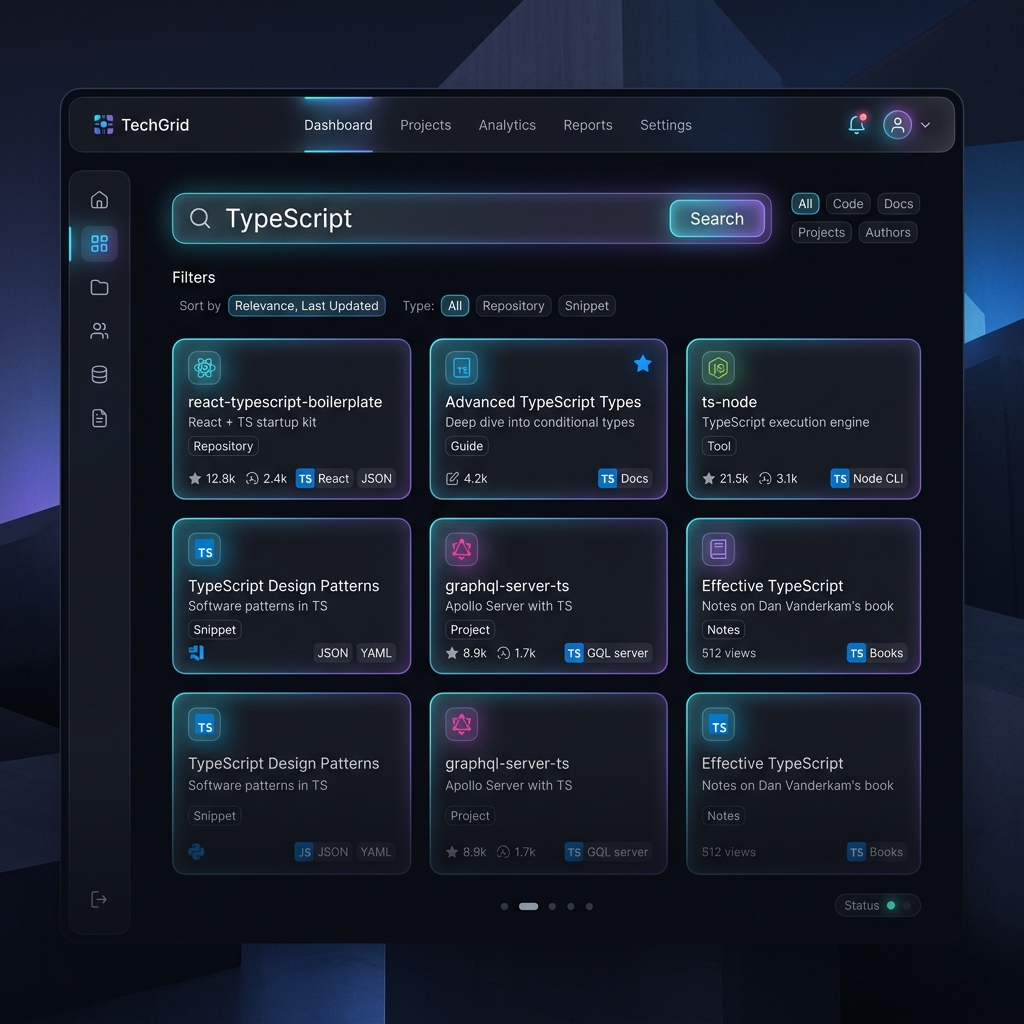
Create an Account & Search Topics

Sign up securely using JWT-based credentials. Once inside the user portal, use the search box to discover curated technology topics or type in any topic of your choice.

Smart autocomplete suggestions merge existing database topics with a predefined catalog of trending technologies and software concepts (Python, DevOps, Linux, Design Patterns) to prevent cold starts.

💡 Tip: If a topic is not in the database, the **AI generation mechanism** triggers a call to Gemini, creating a brand new topic with 3 educational flashcards on the fly!

Search and Subscription Dashboard
STEP 02 / PREFERENCES

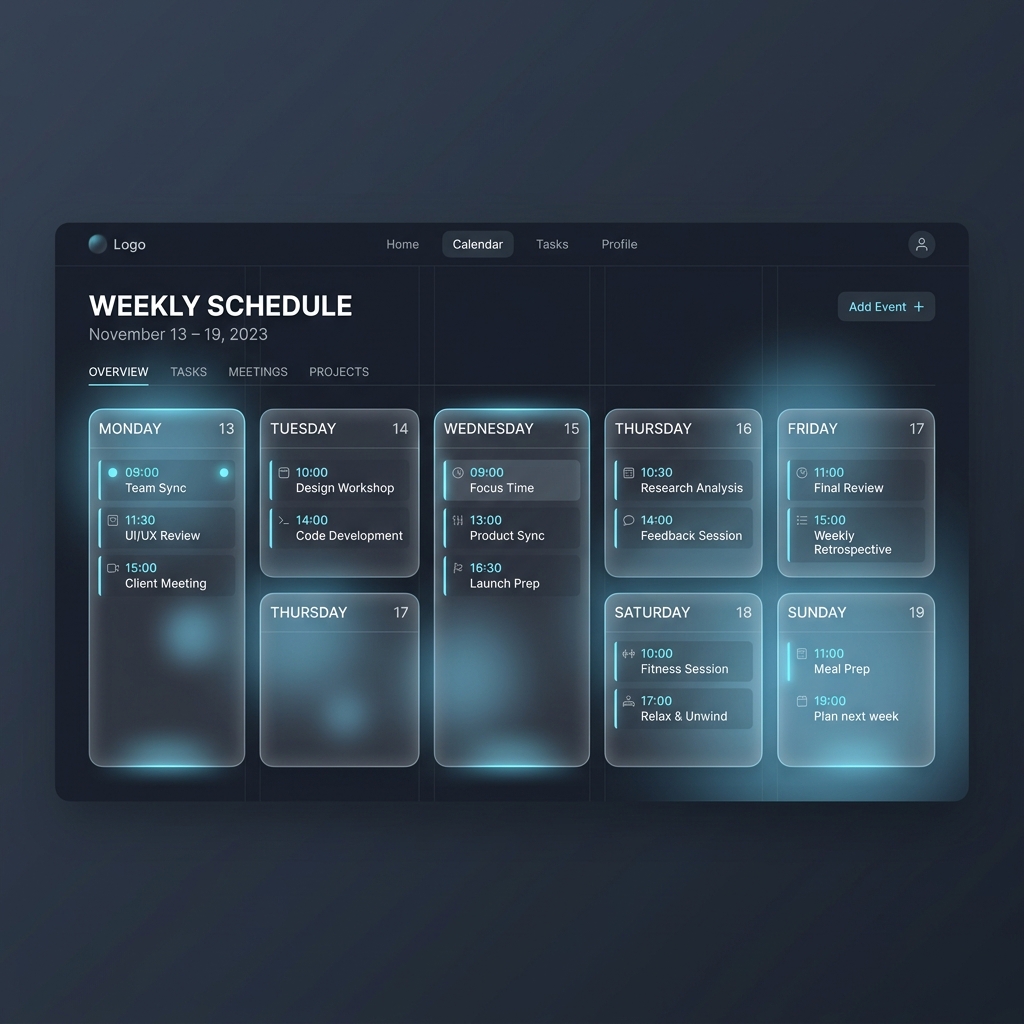
Customize Your Weekly Schedule

Set which topic you want to study on each day of the week. Our backend database ensures that you receive at most one flashcard per day, mapped to your daily selection.

Type any new topic directly into a weekday slot to dynamically schedule it. The system automatically creates the topic and subscribes you in a single action.

Weekly Scheduling Grid
STEP 03 / DELIVERY

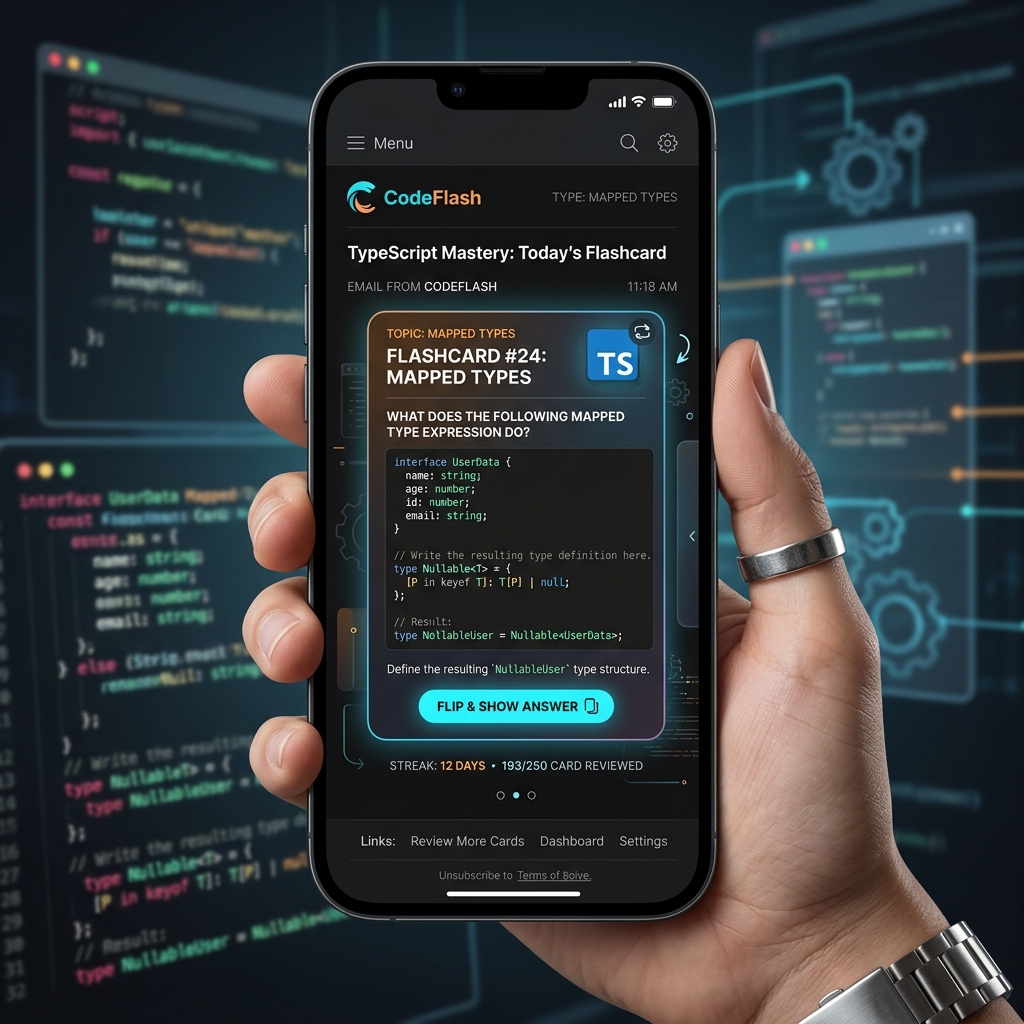
Get Daily Flashcard Learning

Our timezone-aware BullMQ background queue scheduler verifies daily subscriptions and dispatches a mobile-responsive HTML flashcard exactly at your preferred hour and timezone offset.

Emails include a secure, passwordless one-click unsubscribe link at the bottom. You can immediately manage your subscription preferences or opt out directly from your inbox without needing to log in.

Mobile Responsive Flashcard Email Preview
STEP 04 / CONTROL

Administrator Metrics & Controls

Logged-in administrators can access the admin dashboard to perform CRUD operations on technology topics and flashcards.

Monitor active subscription distributions and delivery success ratios using charts built with Recharts, or manually trigger the daily queue broadcast for instantaneous verification.

Admin Metrics Dashboard